1Tell your AI the shot
Like you'd tell a friend. "Three cars, night, wet street, camera goes through all of them." Timestamps if you want them.
 blendout
ACTION!
tell your AI the shotwatch it build in 3D. nothing to install
Last night I burned 40 credits on one 10 second shot. The camera spun the wrong way. Every. Single. Time.
I saw those insane Higgsfield videos made in Blender. Then I opened Blender and my laptop froze!!


 first
My 8GB MacBook Air couldn't even open Blender, so I built the one that runs in a tab.
~ Mukund
 BLENDOUT
READY?

 Notepad - my_story.txt_□×
Every crazy AI video I saw started in Blender. The cars, the jumps, the camera flying through the scene. I tried it. My MacBook Air froze before the first cube loaded.
So I built Blendout. It runs in a browser tab, and Claude does all the 3D for me. I describe the shot, it builds it, and my video model follows it on the first try.
Now it does it for you.
OK, let me in $2.50 a try!!!
7 tries?!
 ERROR×
Camera went the wrong way. Again. (try 7 of 7)Higgsfield, Seedance, Kling and Veo charge you for every try, and most tries go to the camera doing something you never asked for. Blendout hands the model the exact shot, so the first try is the one you keep.
Like you'd tell a friend. "Three cars, night, wet street, camera goes through all of them." Timestamps if you want them.
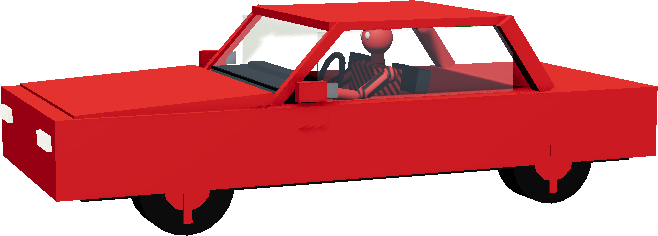
The street, the cars, the people, every camera move and cut. Everyone gets their own colour, so your video model never mixes up who's who.
Export the MP4, drop it into Higgsfield or Seedance as the reference, paste the prompt Blendout writes for you. Done. First try.
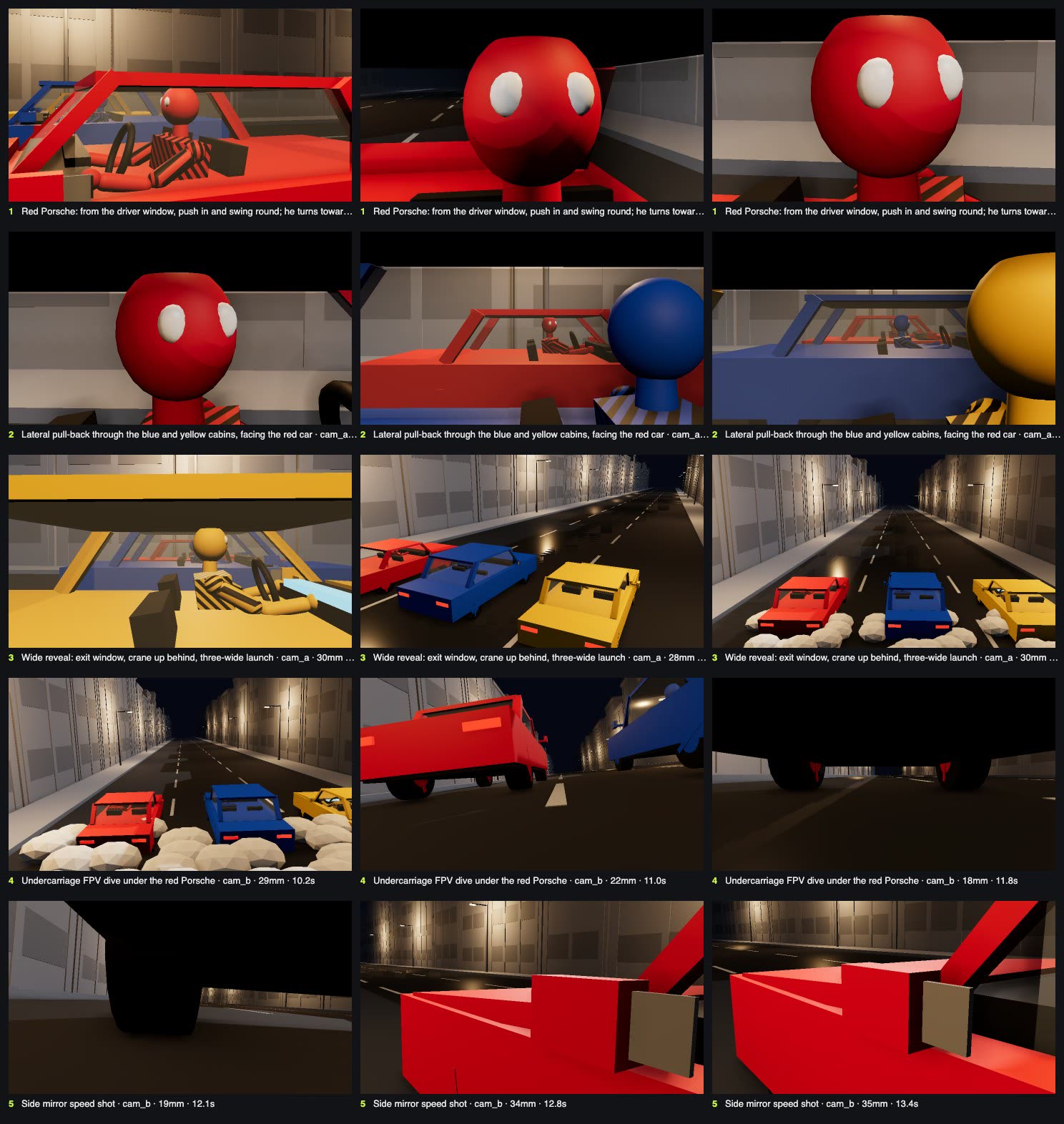
real screen recordings. no edits, no tricks.
 blendout_studio.avi×
You describe the shot to your AI in your own chat. This is the studio while it works: the street, the buildings, the car, the blasts and the camera land one by one. Then it cuts to the shot camera and plays.
 claude.ai/settings/connectors
"make me a car chase at night, low angle, slow-mo"
 your AI ✓
nothing to install
Claude, ChatGPT, Grok, whichever one you use. Add Blendout to it once: it takes about a minute, there's nothing to download, and the studio walks you through it the first time you sign in. Then just tell your AI the shot like you'd tell a friend, and the whole scene builds in your Blendout tab while you watch.
 Claude
 ChatGPT

 Cursor
 Nothing to install. No extra AI subscription. No Blender.
 credits_burned.exe_□×
Rough estimate. Assumes a blockout gets the shot in about 1.5 tries.
open one, make it yours, export. new shots every week. drag the line.
colour_coded.exe_□×Your hero is red, the villain is blue, the dog is yellow. The AI video model always knows who's who, so it never swaps your characters halfway through the shot.
Blendout doesn't sell AI credits. You bring the AI you already have, Claude, ChatGPT or Grok, and Blendout gives it a 3D studio to direct in. Not sure yet? Watch it work and see real shots first.
beta$20 $7 /month
Beta price. Cancel any time.
Renews until you cancel, and you can cancel any time in the studio. Terms · Refund policy · Privacy
REFUND_POLICY.TXT×
Try it for 3 days. Not for you? Full refund.Both plans come with a 3-day money-back guarantee while Blendout is in beta. Open a template, make a shot. If it doesn't earn its place, email me and you get every cent back. After 3 days, no refunds.
What is Blendout?Blendout is an online previs and 3D blockout tool for AI video. You describe a shot, and it builds the set, the characters, the vehicles and the camera moves in 3D, right in your browser. You export the blockout as an MP4 and use it as the reference video for Higgsfield, Seedance, Kling or Veo.
 Do I need Blender or a powerful computer?
No. Blendout runs in a browser tab and was built on an 8GB MacBook Air. There is nothing to install and no 3D skills needed.
How does it work with Claude, ChatGPT and Grok?You add Blendout to the AI you already use once, and the studio shows you how the first time you sign in. After that you just talk to it like a director: it places the camera, the people and the moves for you. There's nothing to install and no new AI subscription.
Which AI video models does it work with?Any model that takes a reference video, including Higgsfield, Seedance, Kling, Veo and Runway. Blendout also writes a ready prompt for each shot.
How much is it?Blendout is in beta, so it's $7 a month (normally $20), or $63 a year if you pay yearly, which saves 25%. One plan, every feature, new template shots every week. Both come with a 3-day money-back guarantee while Blendout is in beta.
Where are my scenes stored?In your browser, on your computer. Blendout doesn't upload or store your scenes on its servers.
What happens after I pay?You sign in and land straight in the studio with the templates ready. A one-minute setup adds Blendout to your AI, and then you're directing.
got a question?I reply myself
How it works with your AI, a shot you're stuck on, refunds, anything. Drop your email and I'll get back to you, or email [email protected].